


Voice GPS Navigation: GPS Map
4.6153.00 Reviews
App Specs
- Version
- 1.5.6
- Updated On
- License
- Free
- Downloads
- 1,000,000+
- Developer
- Handy Tools Studio
- Categories
- Maps & Navigation
- Platform
- Android, iOS
Screenshots
 Analysis by AppCompare
When I judge a navigation app, I care less about a long feature list than about what happens when I need to make a turn, find a new address, or keep moving through a busy day. Voice GPS Navigation: GPS Map is aimed at that practical job: it puts spoken route guidance at the center, so I can focus more on the road than on checking a screen. That approach suits familiar errands as well as occasional trips somewhere new, though it works best when I plan around the realities of mobile reception and phone use in a car.
Where a live connection matters
Voice directions are most useful when I can’t safely glance at a map, but route planning and changing conditions can still depend on having a working connection. A weak signal at the start of a drive is a good reason to check the destination and route before setting off rather than waiting until I am already moving. I would not treat this app as a guaranteed replacement for a prepared offline map: if a route takes me into an area with unreliable service, I plan a backup instead of assuming every map or update will remain available.
That distinction matters in everyday use. On a familiar drive across town, spoken prompts can be enough to keep me oriented. In an unfamiliar area, I want to confirm the destination and broad route while parked, then let voice guidance handle the turns. If traffic information is available during the trip, it can help me respond to congestion; I still wouldn’t make a sudden lane change just because a screen suggests a quicker way. The safer choice is to follow instructions only when there is room to do so.
A realistic drive, from planning to arrival
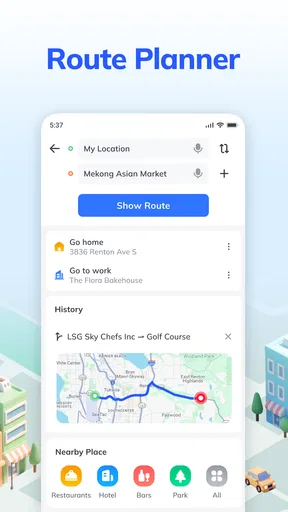
Picture a weekday when I need to collect an order from a shop I’ve never visited, then drive to a meeting. I would enter the destination before leaving, make sure the phone is mounted where it doesn’t block my view, and set the audio at a level I can hear over ordinary road noise. Once moving, spoken cues reduce the temptation to pick up the phone at every junction. Near the destination, I would slow down and use the map cautiously: the final approach is where a driver can be distracted by searching for an entrance or parking.
For a new driver or someone making occasional trips outside their usual neighbourhood, this kind of voice-first guidance can be less stressful than repeatedly zooming and panning a map. It can also help a passenger handle destination searches while the driver stays focused. I would not use a phone-based navigator as a reason to ignore road signs, restrictions, or local conditions. Navigation is guidance, not permission to take a turn that is unsafe or prohibited.
Mobile context and practical trade-offs
Handy Tools Studio’s app sits in the maps and navigation category, and the voice-led idea is easy to understand: hear the next instruction rather than trying to read while driving. I’d find that most useful on routine car trips, when the screen can stay in its holder and I only need occasional visual confirmation. Someone who mainly walks, cycles, or uses public transport may want a service designed around those journeys instead of a driving-focused navigator.
Compared with familiar map apps, the key question is not simply which one has the most features; it is which one fits the way I travel. A broad, established mapping service may be a better choice if I rely on a particular ecosystem, saved places, or a deeply familiar interface. This app is worth considering when straightforward voice guidance is the priority. Before depending on any navigator for a long or complicated journey, I’d test it on a short drive and learn how its prompts sound at real road speeds.
Worth Reading Before You Choose

Flipboard Shows What News Apps Must Do Beyond the Feed

Switching to Android Auto Means Rethinking Your Driving Routine

Google Calendar Makes a Crowded Week Easier to Manage

Ludo King Makes the Most of the Minutes Between Plans

Baby Panda World Brings Quick Play to Modern Phones, but Its Game Library Feels Busy

ESPN’s Live Game View Makes Following Close Games Easier
Small habits that make navigation safer
A few simple habits make more difference than fiddling with settings once the car is moving. I enter the full destination while parked, check that the phone has enough charge for the trip, and keep the device secured rather than holding it. If a voice prompt arrives too late to act on safely, I continue on the road I’m on and wait for a sensible opportunity to reassess. Missing a turn is inconvenient; trying to correct it abruptly is worse.
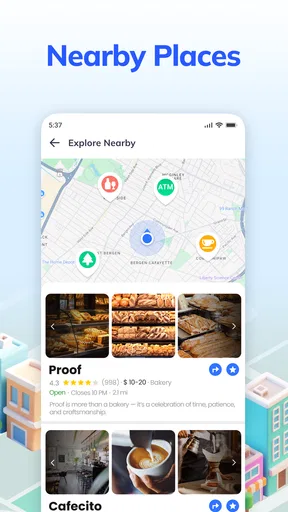
Nearby-place search can be useful when a planned stop changes, but I’d use it before pulling away or ask a passenger to handle it. The same applies to checking a route or adjusting audio. These are small workflow choices, yet they make a voice navigator genuinely more helpful: its value is not only in what it says, but in letting me keep my attention where it belongs.
Who should consider it—and who may prefer another option
The app may suit drivers who want spoken directions for errands, commutes, and unfamiliar addresses without making map-reading the main activity. Its 4.8 average from around 4,400 ratings and more than a million installs suggest that many people have chosen to try it, though popularity alone cannot tell me whether its routing fits my own area or habits. I’d make that judgment with a short, low-stakes test rather than relying on reputation.
It is less compelling for someone who needs dependable navigation where mobile service is unreliable, or who wants a feature-rich travel planner built around several transport modes. Those drivers should compare alternatives and prepare routes in advance. The app is free to install, rated for Everyone, and has optional in-app purchases ranging from $4.99 to $24.99 per item. I’d check what an optional purchase actually adds before paying, rather than assuming a paid item is necessary for basic use.
First Impressions and Features
When I first downloaded the Voice GPS Navigation: GPS Map app, I was pleasantly surprised at how straightforward the setup was. No overly complicated sign-ups or unnecessary prompts—just install and go. The app offers a clean and intuitive interface, which is a huge relief for those of us who aren't tech geniuses.
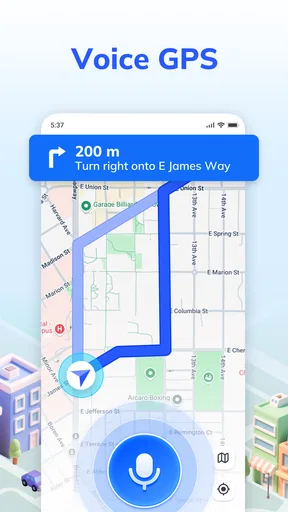
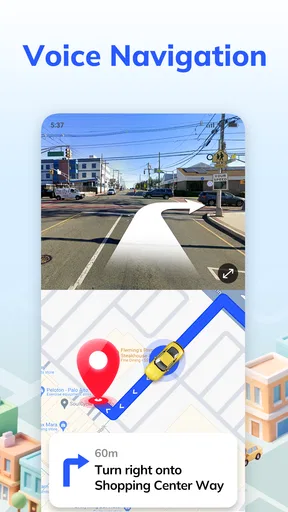
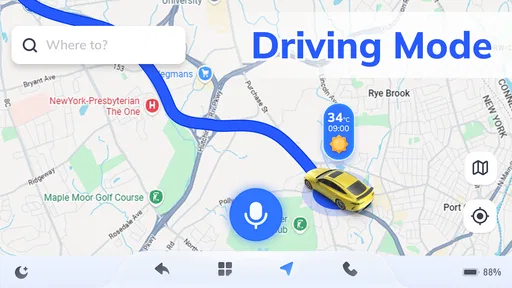
Now, let's talk features. This app boasts a voice-guided navigation system that’s not only accurate but also super convenient. Imagine cruising down the highway with your eyes on the road, while a friendly voice guides you to your destination. It’s like having a co-pilot who never gets tired or needs snack breaks.
Mapping and Navigation
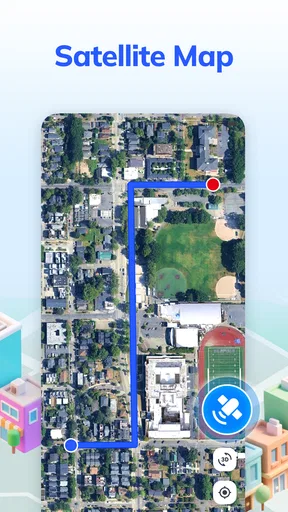
The GPS Map feature in this app is quite robust. It provides detailed maps that are regularly updated, ensuring you’re never stuck with outdated routes. Whether you're heading to a new coffee shop across town or embarking on a cross-country road trip, the app’s mapping capabilities have you covered.
One of the standout features is the real-time traffic updates. The app intelligently reroutes you to avoid traffic jams, saving you precious time. Gone are the days of being stuck in bumper-to-bumper traffic while wondering if there’s a faster way. This feature alone makes the app worth its weight in gold.
Extra Goodies
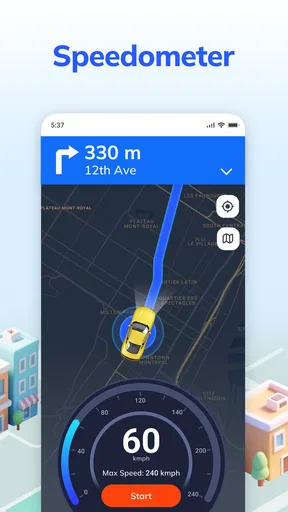
Besides the core navigation features, the app offers some neat extras. There's a built-in speedometer, which is a nifty tool if you're prone to heavy-footed driving. It helps keep your speed in check, potentially saving you from unwanted speeding tickets.
Another cool feature is the ability to search for nearby points of interest. Whether you’re looking for a gas station, restaurant, or hotel, this app has your back. It’s like having a local tour guide right in your pocket!
User Experience
In terms of user experience, the app scores high marks. The voice navigation is clear and easy to understand, and you can even customize the voice to suit your preferences. Personally, I opted for the British accent, because who doesn’t want to feel a bit posh while driving?
The app also supports multiple languages, catering to a diverse user base. Whether you're fluent in English, Spanish, or Mandarin, you’ll find the app accommodating your linguistic needs.
Compatibility and Performance
Voice GPS Navigation: GPS Map is available on both Android and iOS, ensuring that most smartphone users can enjoy its features. The app runs smoothly without any noticeable lag, even on older devices. I haven’t experienced any crashes or glitches, which is a huge plus. After all, the last thing you need is your navigation app freezing right when you’re about to make a crucial turn.
The app is also kind on battery life, which is a blessing for those long drives. It doesn't drain your phone's battery excessively, so you can keep navigating without worrying about your phone dying mid-journey.
Cost, version, and final call
The current version is 1.5.3, and the app was released on September 25, 2024. It runs on Android 6.0 or later, so it may be an option for people using older Android devices, provided their device and its software remain compatible. If you’re choosing between this and a navigation app already familiar to you, I’d weigh that convenience against the features you actually use—not just the number of tools on screen.
My main reservation is the need to be thoughtful about connectivity and safe setup. A voice prompt can make driving easier, but it doesn’t remove the need to plan ahead, watch the road, and use judgment when a suggested route meets real traffic. If you want a straightforward driving companion and are comfortable checking your route before setting off, this is a reasonable option to try. If offline certainty or a broader transport toolkit is essential, I’d choose a navigator that clearly meets those needs instead.
Pros
- User-friendly interface for easy navigation.
- Accurate real-time traffic updates.
- Voice guidance reduces screen dependency.
- Offline maps save data usage.
- Customizable route options.
Cons
- Ads can be intrusive during use.
- Limited offline map coverage.
- Voice commands may lag sometimes.
- Requires regular updates for accuracy.
- Battery consumption can be high.
FAQs for Voice GPS Navigation: GPS Map
What features does Voice GPS Navigation: GPS Map offer?
Voice GPS Navigation: GPS Map provides turn-by-turn voice guidance, live traffic updates, and offline maps. Users can also enjoy features like points of interest, route optimization, and speed limit alerts. The app is designed to make navigation easier and more accessible, even for those in areas with limited internet connectivity.
Is Voice GPS Navigation: GPS Map available offline?
Yes, Voice GPS Navigation: GPS Map offers offline map functionality. Users can download maps for specific regions, ensuring they can navigate without an internet connection. This feature is particularly useful for travelers or those in areas with spotty network coverage, helping ensure a seamless navigation experience.
How accurate is the live traffic update feature?
The live traffic update feature in Voice GPS Navigation: GPS Map is designed to provide real-time information sourced from various data providers. While generally accurate, it relies on the availability and quality of data in your area. Users should consider this and plan accordingly, especially during peak travel times.
Can I use Voice GPS Navigation: GPS Map for walking or cycling directions?
Yes, the app supports various modes of transportation, including walking and cycling. Users can select their preferred mode in the settings, allowing the app to tailor routes and navigation instructions to suit walking or cycling, making it versatile for different travel needs.
Is the app compatible with both Android and iOS devices?
Voice GPS Navigation: GPS Map is available for both Android and iOS platforms. This ensures users across different devices can access its features. However, some functionalities might vary slightly due to differences in operating systems, so users should check for any platform-specific features.


